From Desktop to Tablet: What's New in StoneBase
Published on September 8, 2026 by StoneBase Team
Start a review at your desk, open the same library on your tablet, and spend your time on the next move. The recent StoneBase 1.0.53–1.0.55 releases bring a redesigned review workspace, easier phone and tablet connections, and new ways to turn KataGo analysis into something you can study.
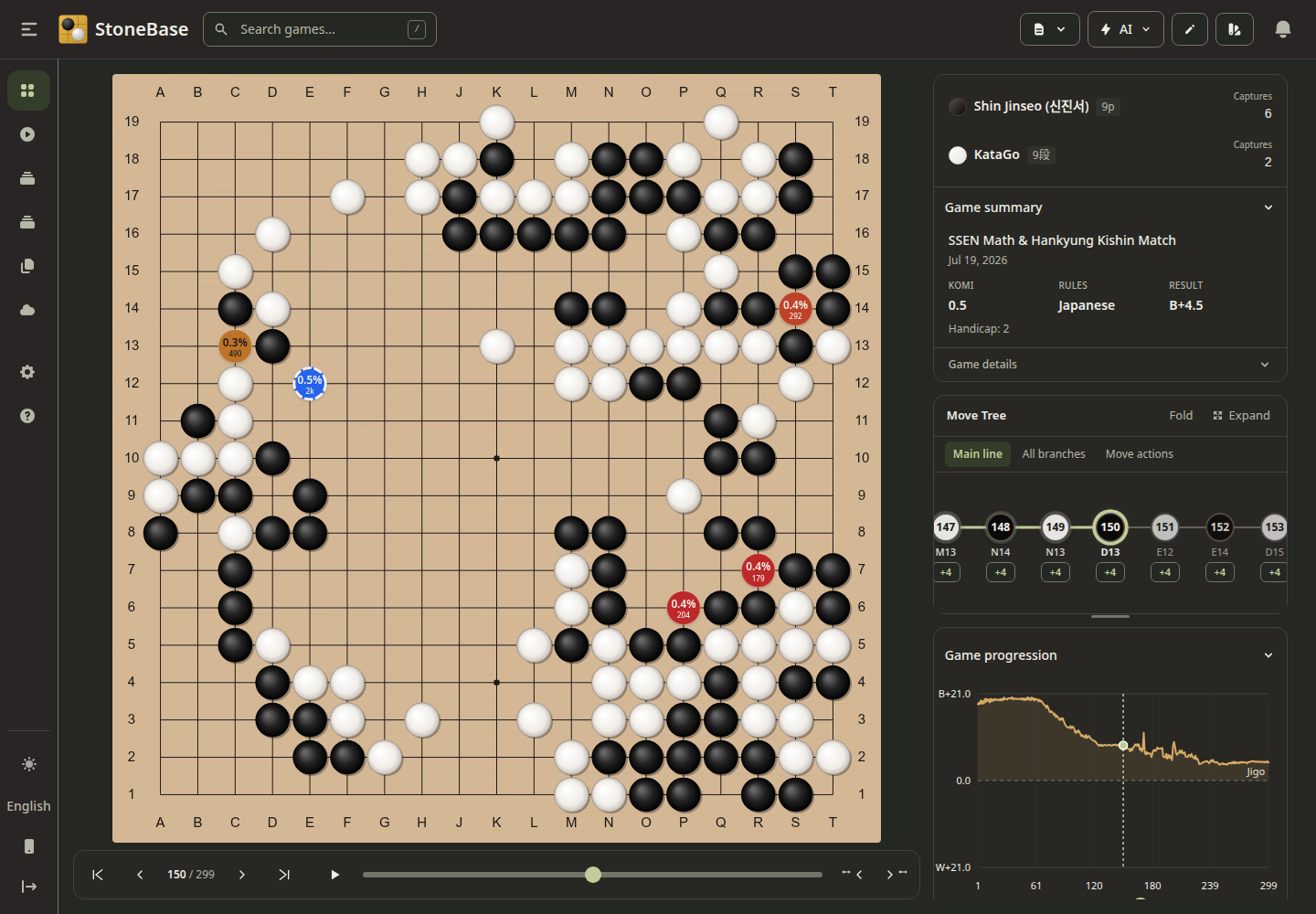
Let’s walk through them with Shin Jinseo versus KataGo, Game 2 of the SSEN Math & Hankyung Kishin Match. The record in our library is dated July 19, 2026: Shin has Black, with two handicap stones, and wins by 4.5 points. Download the same SGF to follow along.
These are real captures from a running StoneBase library, using the position after move 150. The tablet image uses an 820 × 1180 browser viewport; it is a responsive-layout capture, not a photograph or physical-device test. Analysis figures come from this library’s saved analysis and local engine, not the match broadcast.
A review workspace that keeps the board in view
The board has more room, with player information, captures, the move tree and score progression grouped alongside it on desktop. The compact navigator puts first, previous, next and last moves together, followed by a slider and autoplay. You can move through the record without repeatedly hunting for controls.
For this game, stop at move 150 before advancing. Look at the groups on the right and decide where you would play next. The move tree makes nearby branches easier to explore, while saved variations can appear on the board even without AI analysis. An optional auto-hide toolbar frees more space when you want to concentrate on the position.
Take the review to your tablet
Keep StoneBase running on your computer and connect your phone or tablet to the same local network. Open Connect phone or tablet in the sidebar, then scan the QR code or open one of the supplied addresses in the device’s browser. On networks that support local hostname discovery, a discoverable local address is available too; IP addresses remain an alternative.
The computer hosts your library and runs the engine. The tablet gives you another way to use it, so the host must stay awake and reachable. This does not require installing KataGo on the tablet or uploading the library to a cloud service. If a connection fails, use the dialog’s connection help and check that the network allows devices to reach each other.
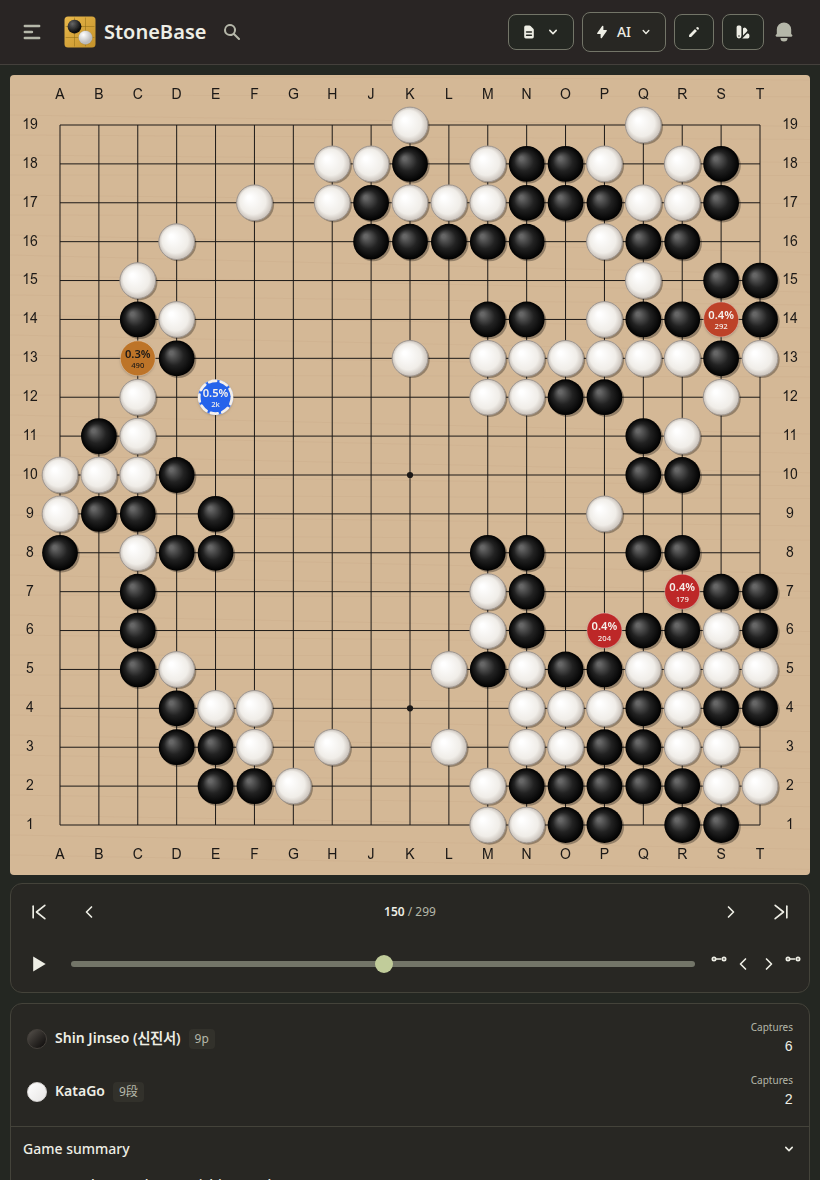
Have an SGF on your phone? Device uploads now choose files from the device you are using. Importing files already on the host computer remains a separate option. That makes it easier to bring a game you received on mobile into your desktop library.
See what KataGo thinks will become territory
Open AI → Estimate score to inspect the current position. You can switch between Current enclosures and Predicted final ownership. Larger ownership squares represent stronger confidence; opposite-colored markers on stones indicate stones the engine expects to lose.
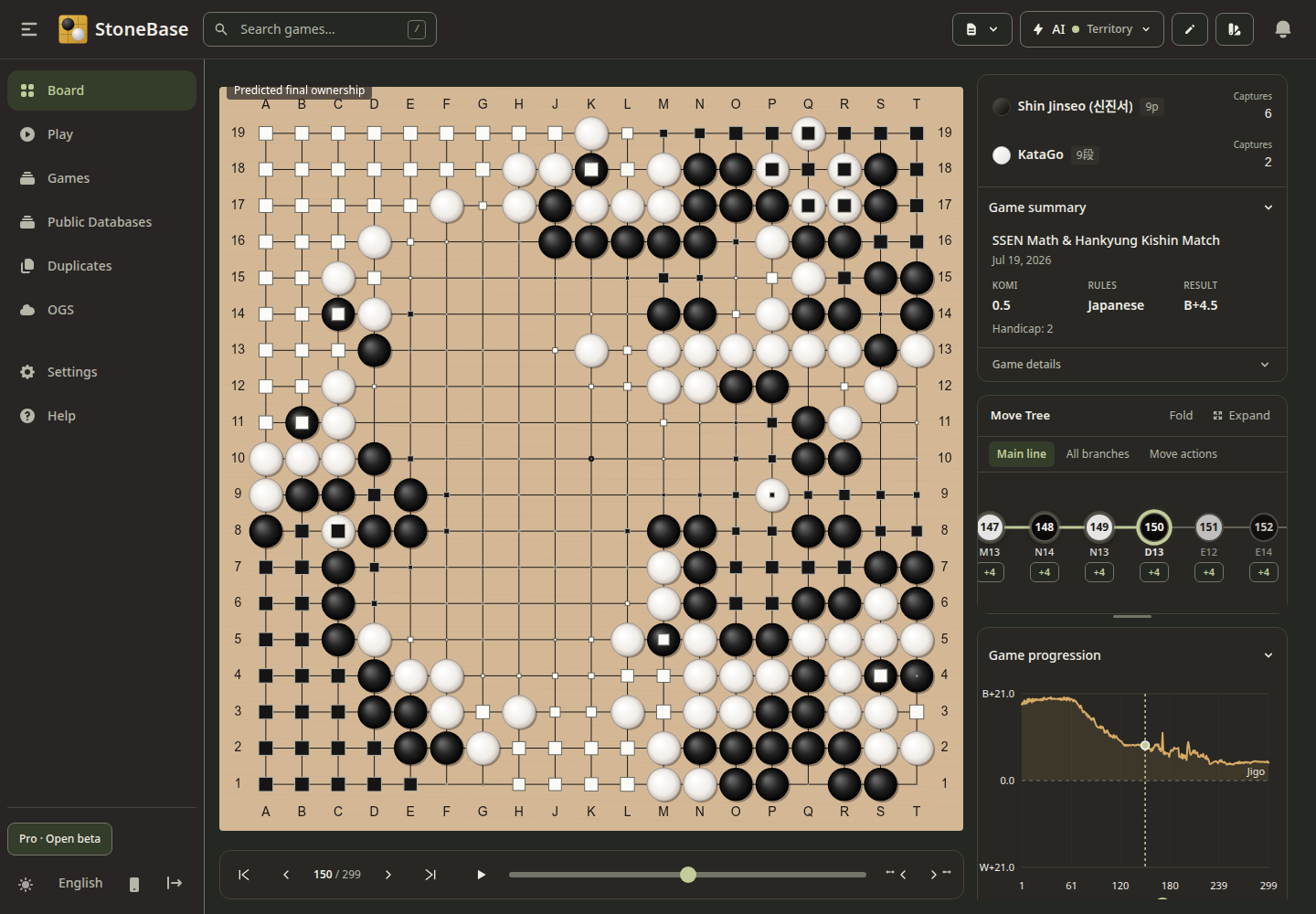
Our local estimate at this position was B+8.5. The recorded result is B+4.5. They answer different questions: the first predicts continued play from here; the second records how this game finished. Ownership and likely-dead-stone markers are AI estimates, not a final adjudication. Results can change with the engine, analysis budget, rules and subsequent moves.
Turn the accuracy report into a study list
For an analyzed game, open Stats → Details to put the move accuracy report beside the board. Compare players, filter by opening, middle game or endgame, and inspect points lost, best-move matches and move quality. The report also offers moves to review and clean streaks to revisit.
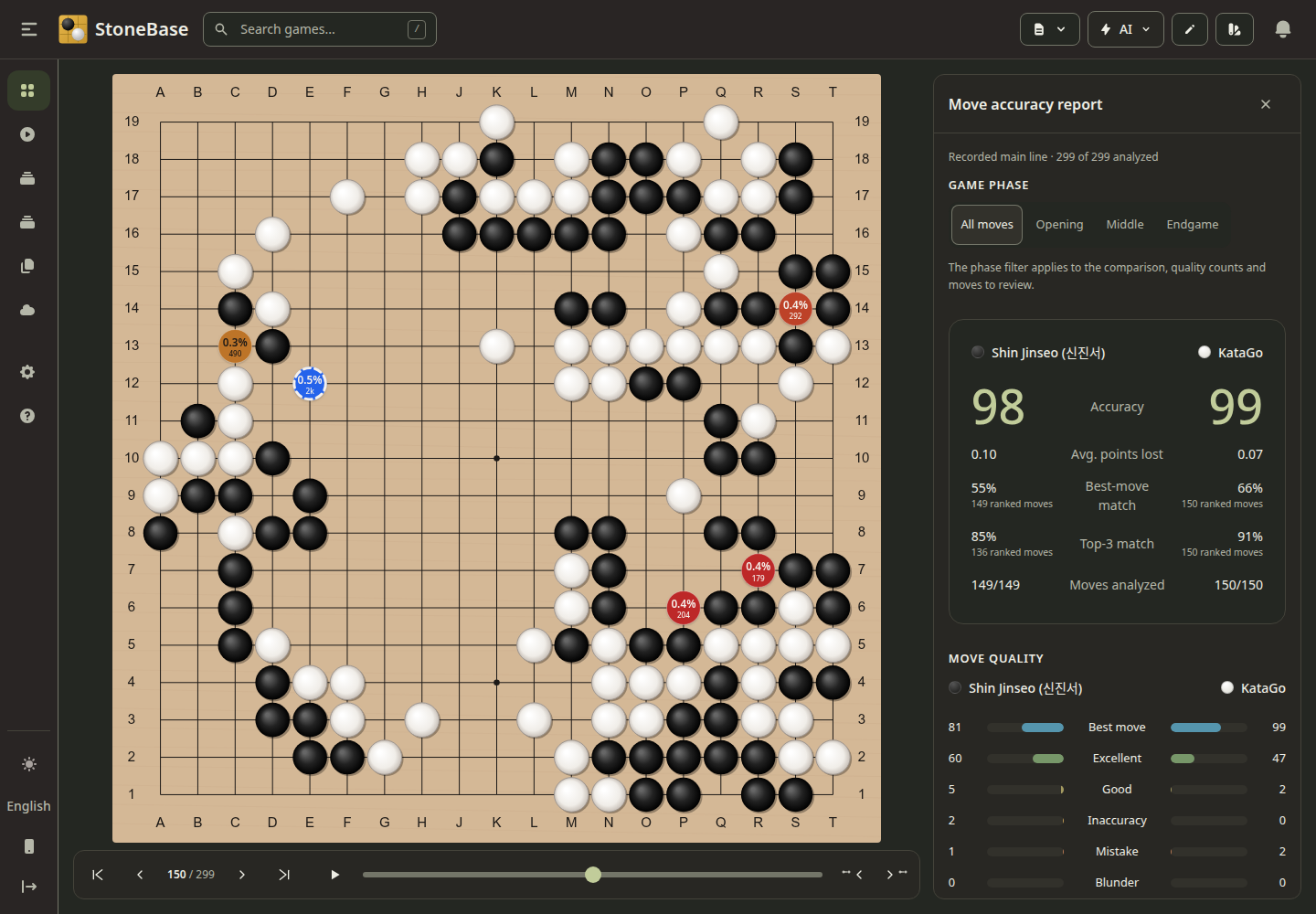
Here the report shows accuracy scores of 98 for Shin and 99 for KataGo. Treat those as a summary of this analysis, not a universal rating of either player. A useful review is to choose one suggested move, form your own alternative, and compare the continuation. The goal is to leave with a position you understand better.
Try the continuation yourself
The board’s AI menu now brings together live analysis, score estimation and next-move generation. Play from here lets you take a position into play. In the Play workspace, configure a compatible GTP engine to play against it, or watch two engines face each other. Sessions can be paused, resumed and saved to your library for review.
For a small study exercise, return to move 150, predict the next move, then compare your choice with the recorded continuation or ask a configured engine to generate a move. Local AI tools require a working engine setup; our KataGo setup guide covers that first step.
Smaller changes that help every review
Recent updates also add clickable web links in Notes and board highlights when you hover over or focus a coordinate such as M10. SGF handling better preserves root comments, variations, setup positions and metadata. To recover information lost in an older import, re-import the original source file.
Review stone sounds have their own setting, mobile navigation is more stable, and all eight interface languages have complete translations. Together, these changes make it easier to move between a detailed desktop session and a few minutes of review on a smaller screen.
Open the game and try it
Download the latest StoneBase release, import Game 2, and start at move 150. Try the tablet layout, inspect ownership, then choose one move from the accuracy report to study.
Pro is free during the open beta, without a key or signup. Access needs periodic online validation, with up to 48 hours of cached access between checks. Your saved games and analysis remain in your library when the beta ends.
Ready to analyze with AI?
If you haven't set up KataGo yet, check out our complete KataGo setup guide — it covers Windows, Mac, and Linux installation in minutes.